Read the workspace.
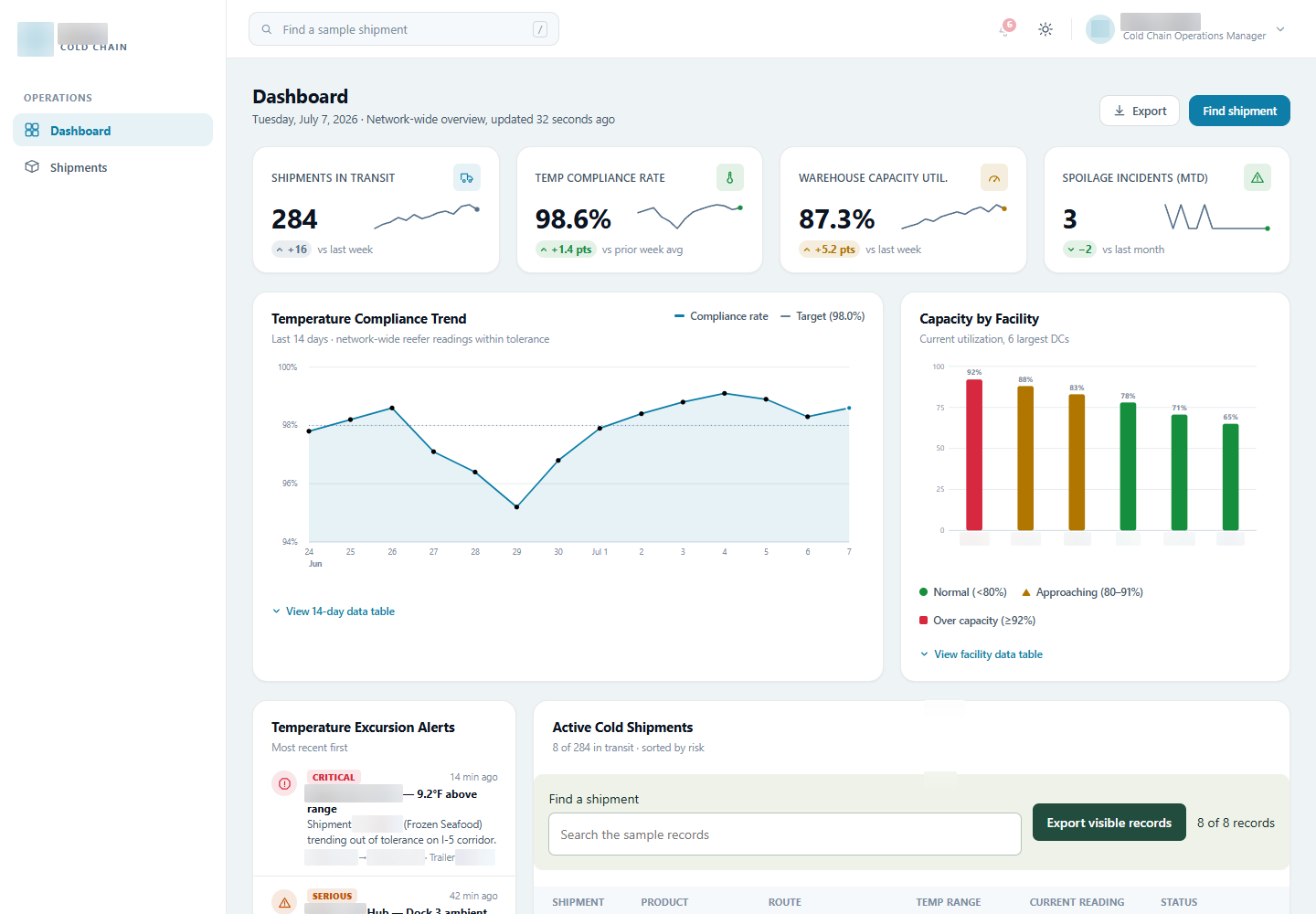
Use summary information and charts to establish the context of the sample operation.
A cold-chain operations interface that brings shipment status, temperature context and review actions into one workspace.
We built the front end around a specific operational question: which shipment needs attention, and what information is needed to review it?
Explore the work ↓A temperature reading is difficult to interpret without the shipment and target range beside it.
The workspace brings route, product, temperature and status into a shared table. The challenge was to make that density useful: enough information to scan, with a route into the detail of an individual shipment.
We connected search, row-level review and export around the sample records. The interface can be explored as a workflow rather than a collection of static dashboard panels.
Each layer answers a different operational question, moving from the visible set of records to a specific review action.
Use summary information and charts to establish the context of the sample operation.
Filter shipments across their record details within the main table.
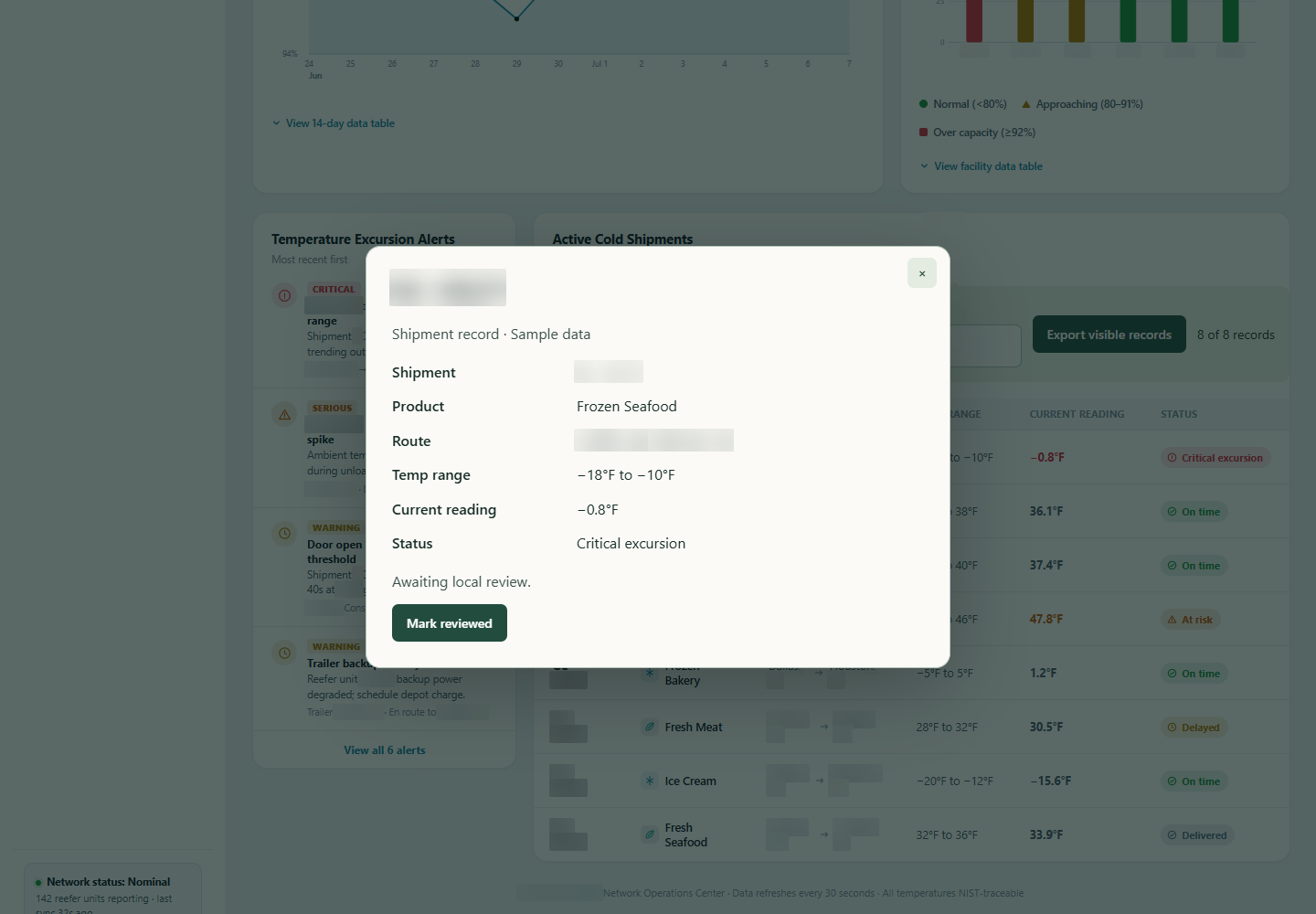
Open a shipment with its route, product and temperature context together.
Mark a record reviewed or reopen it, with local persistence of that state.
We kept the current reading close to its target range and shipment identity. This makes the relationship between the measurement and the expected conditions visible without requiring a separate lookup.
The table provides the scan view; the detail panel provides room to inspect a record. Rows can be opened by keyboard as well as pointer, so moving into that detail is part of the interaction model.
Opening a record and reviewing it are different actions. We connected the review control to a saved state, with the option to reopen the record when it needs another look.
That state persists locally across reloads. Export follows the current filtered set of rows, so the file corresponds to what the operator is examining. Both behaviours make the interface internally consistent without implying a connection to live telemetry.
The work turns a dense logistics view into a connected sequence of finding, inspecting and reviewing records.
Route, product and temperature information remain attached to the record being examined.
Review and reopen controls have visible state that survives a browser reload.
Exported rows match the current result set, preserving the scope of the review.
Operations interface with sample shipment records, search, keyboard-accessible details, local review state and filtered export.
Start with the overview, then explore the details. These are screenshots of the original interface, with names, contact details and identifying information blurred for privacy.
2 views Select any view to exploreWe build operational interfaces that connect the overview to the detail and the actions a team needs to take.