Locate the appointment.
Keep the day's appointments and their status in a consistent table.
A clinic workspace that connects appointments, patient context and review tasks in a single interface.
We organised the front end around the working day: scan the schedule, open a record, inspect the context and prepare a note.
Explore the work ↓An appointment becomes useful in context: its status, reason for the visit and the information available to review.
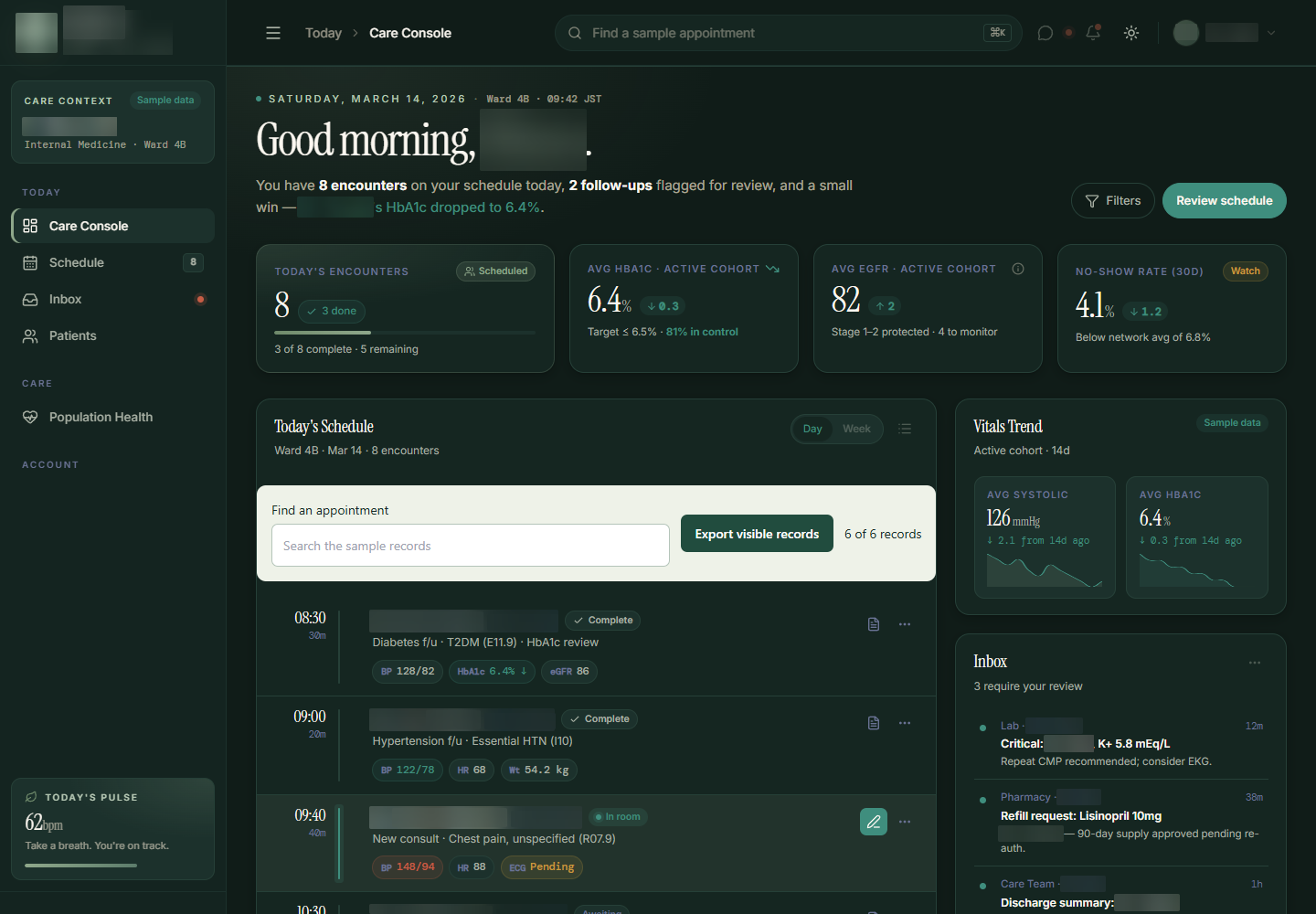
The workspace places the schedule alongside inbox items, care-gap indicators and population summaries. The design challenge was to establish a readable hierarchy across these different kinds of information.
We connected the schedule and search to record details and note preparation. The workspace uses sample data to make those interactions concrete, without suggesting a live clinical-record connection.
The main workspace supports scanning. Focused views carry the information that would overwhelm the overview if everything were expanded at once.
Keep the day's appointments and their status in a consistent table.
Connect search to the visible schedule rather than leaving it as decorative navigation.
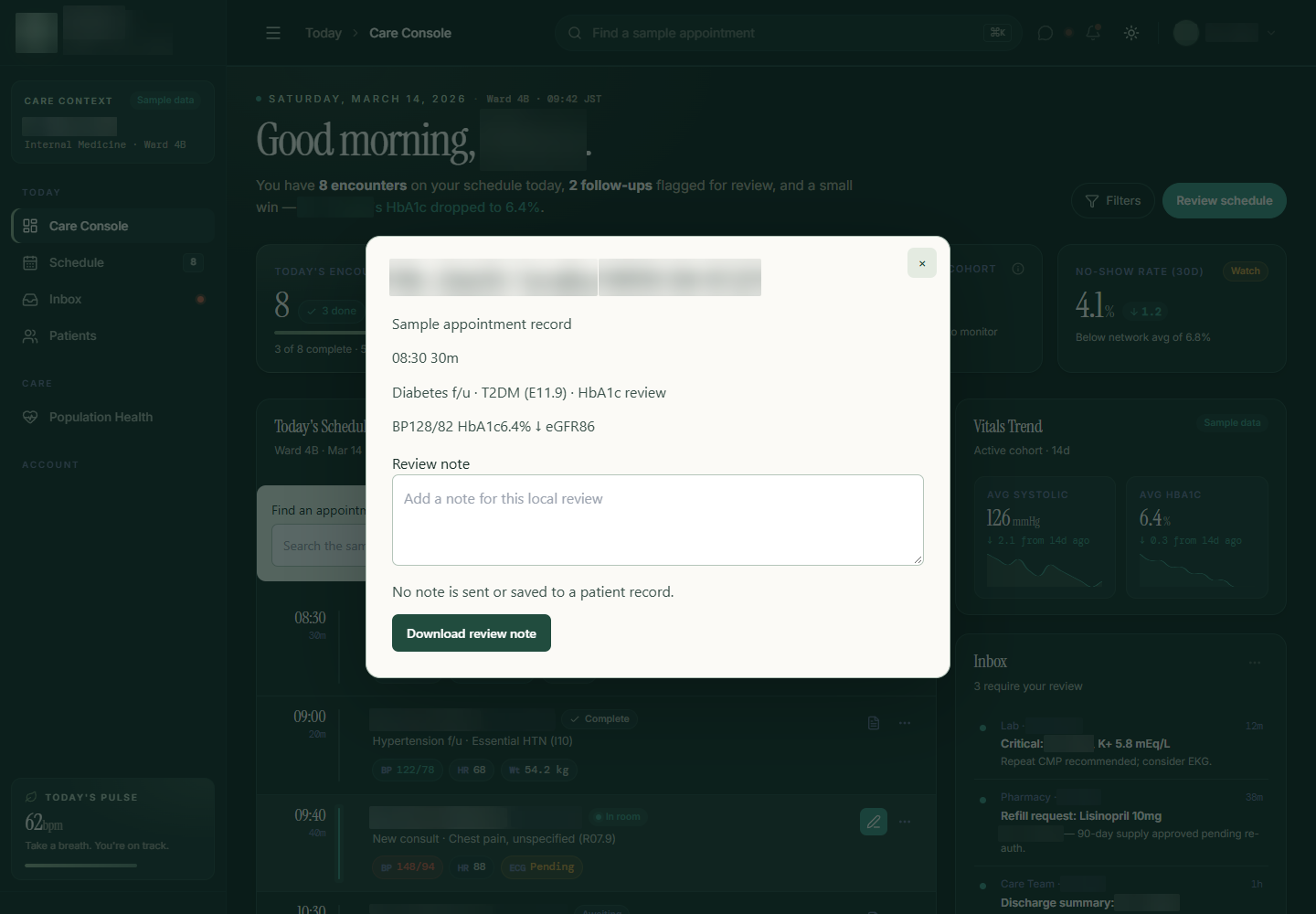
Open the visit reason and sample record information from a row action.
Provide a place to draft a note and download it for review.
We gave the schedule the role of a working index. Repeated row structure makes appointments scannable; opening a detail view creates room for the selected record's information.
This separation keeps the main view compact while allowing the person to inspect the visit context. The selected appointment remains the anchor for the interaction instead of sending every action into a disconnected screen.
The note interaction turns a row action into a usable task. A person can open the relevant view, draft text and download the note rather than reaching a non-functional control.
The draft lives in the current page session. Download is the explicit way to retain it; this build does not write into a clinical record. That boundary shaped the interaction and the way its completion is communicated.
The delivery is a connected workspace front end, with meaningful behaviour behind its schedule, search and note controls.
The schedule anchors the day's activity, supported by review and summary information.
Search and row actions connect the table to a focused detail view.
Downloadable notes give the preparation task a tangible endpoint.
Clinic workspace using sample data, with schedule search, appointment details and session-based note preparation and download.
Start with the overview, then explore the details. These are screenshots of the original interface, with names, contact details and identifying information blurred for privacy.
2 views Select any view to exploreWe design workspaces that keep records, context and the next action connected.