

We added site-wide search and redesigned the error pages on the Anteomnio website in October 2026. The work started with two practical questions: how can a visitor reach a specific service or guide quickly, and what should happen when an address cannot deliver the expected page?
This article describes the implementation we shipped and the checks we performed. It is a first-party build note, not a conversion study. We have not measured whether the changes increased enquiries, reduced abandonment or improved rankings.
Start with the destinations people need
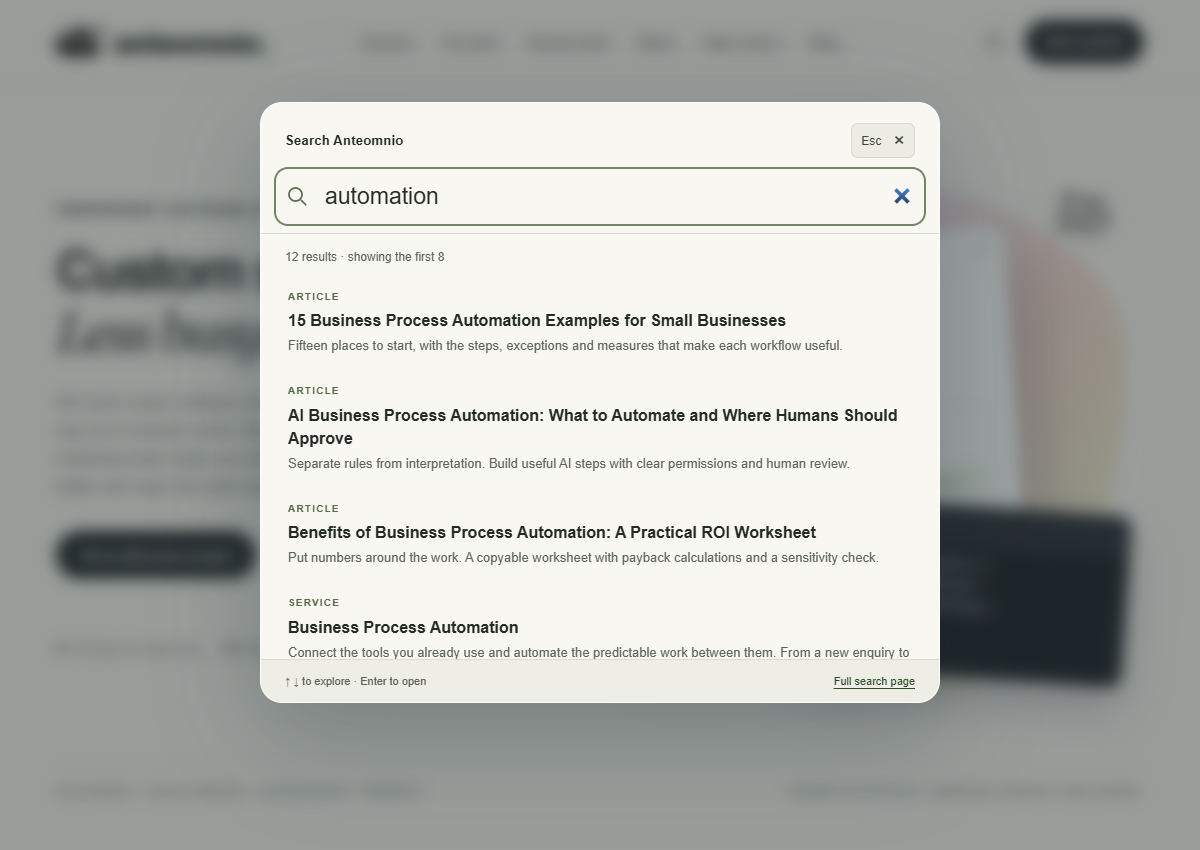
Our blog already had its own filters, but that did not help someone looking across services, projects, open-source tools and articles. We added a search icon to the shared header and a modal search interface that opens with Ctrl+K or Command+K.
The search catalog comes from the same public page and service registers used by the site. Each result has a title, destination, content type and short description. This avoids maintaining a second handwritten list whenever a new page is added.
The matcher searches those fields and the route, with more weight given to title matches. It requires every query word to appear somewhere in the searchable record. It does not search every paragraph of an article, provide semantic retrieval or correct spelling. Those are deliberate limits of the present implementation, and we would revisit them if real search behaviour showed a need.
One catalog, two ways to search
Titles, summaries, types and destinations.
Show up to eight relevant matches.
Keep search available without JavaScript.
Make the shortcut optional and the keyboard path complete
The header control is a normal link to the full search page. JavaScript enhances it into a modal, so a visitor without JavaScript can still reach search. The server-rendered results page also lets people inspect a longer result list than the popup's first eight matches.
Inside the modal, focus starts in the search field. Arrow keys move through result links, Enter opens a result, Escape closes the popup and focus returns to the element that opened it. A visible close control supports people who do not know the shortcut. The background is dimmed and unavailable while the dialog is open.
W3C's modal-dialog pattern describes focus containment, Escape and returning focus to the invoking control. We used a native dialog element and checked the complete interaction rather than assuming that visual resemblance to a desktop search tool made it accessible.
Our browser checks caught a focus issue during implementation. We added explicit handling at the ends of the tab sequence and retested it. That is a useful reminder to exercise the empty-result state as well as the state with many links: the set of available focus targets changes.
Give an empty search a useful next step
An unmatched query produces a clear “No matches yet” message with shorter example terms. It does not display a blank panel or imply that the whole site has failed. The full search page also points visitors toward services and guides.
Search terms remain within this site's implementation; the feature does not send them to an external search provider. A submitted full-page query appears in the URL and can therefore appear in browser history or normal server logs. That is different from claiming that search leaves no trace anywhere.
The present catalog is small enough to include with the page. If its size grows substantially, an endpoint or dedicated index may become more appropriate. We would make that decision from response size, latency and search-quality evidence rather than adding infrastructure because the interaction looks sophisticated.
An interface should explain its limits
Search metadata and routes, not full article bodies.
Suggest shorter terms and clear destinations.
Full-page queries may still appear in history or logs.
Let each error explain its own meaning
We initially used one visual treatment across the error pages. We then gave each supported status a different palette and original SVG scene. The same typography and navigation keep the pages recognisably part of the site, while the illustration helps explain the interruption.
| Response | Illustration | Recovery emphasis |
|---|---|---|
| 403: access denied | Rose palette and a locked door | Return to public destinations or ask for help |
| 404: page not found | Green palette and a route map | Search or choose a useful destination |
| 410: retired page | Sepia palette and a closed book | Explore current material |
| 429: too many requests | Amber palette and a request queue | Wait before trying again |
| 500: application error | Coral palette and a repair motif | Try later or contact us |
| 502: upstream response problem | Lavender palette and separated plugs | Explain the connection problem |
| 503: temporarily unavailable | Mint palette and a pause symbol | Explain that the interruption is temporary |
| 504: upstream timeout | Blue palette and a clock between systems | Explain the wait without blaming the visitor |
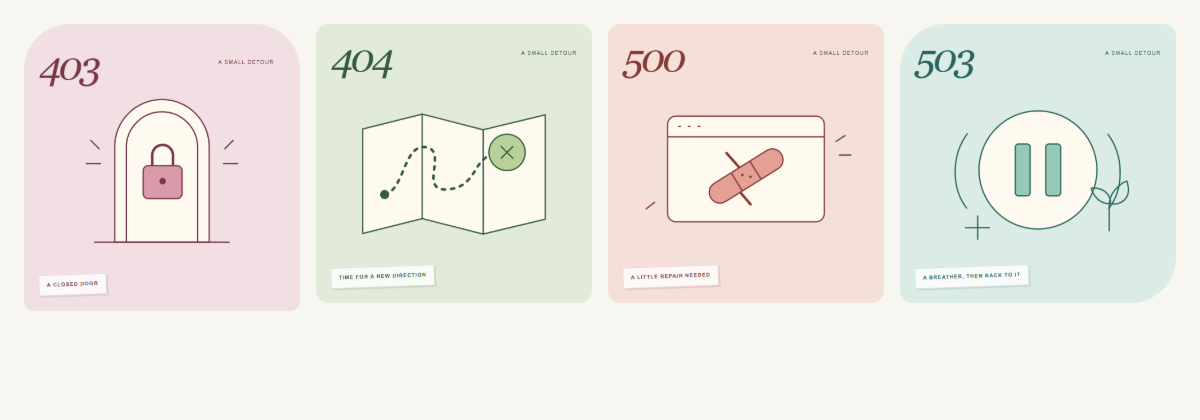
The illustrations are decorative. The status, heading and supporting text carry the meaning, so visitors do not have to infer the problem from color. Missing and retired pages include search; temporary server failures focus on simple recovery links.
Keep the HTTP response honest
A helpful-looking error screen still needs the right response code. Our nonexistent route returns 404, and the retired Field Notes routes return 410. The direct error previews return their selected supported status without deliberately breaking the application.
Google documents how HTTP responses affect crawling. We preserve those signals instead of returning a successful response merely because an error template rendered correctly.
The 500 fallback is independent of the normal page registers and templates. The application buffers output so a failure can discard partial markup before showing the recovery page. Internal diagnostic details go to server logging rather than the visitor-facing response.
That fallback has a boundary: it cannot render when the request never reaches a functioning PHP handler. Failures at a front proxy or unavailable host need handling at that layer. A branded application error page is one part of recovery, not a replacement for hosting configuration.
Recovery has more than one layer
Use the right heading and recovery options.
Preserve the correct HTTP status code.
Keep application failures out of normal templates.
Verify behaviour before claiming results
We checked the search interaction at six viewport widths, including 320 pixels, and tested keyboard navigation, focus return, result navigation, escaping and the no-JavaScript fallback. We checked all 13 supported error previews, along with actual missing, retired and protected routes. Desktop and mobile screenshots were visually reviewed.
An intentional local exception test confirmed that the 500 handler removed partial page output and did not disclose the diagnostic message. After deployment, the live search/error checks passed, and the separate metadata and link audits covered the site's then-current 71 public pages. These are implementation checks; they are not evidence of universal accessibility conformance or better commercial performance.
The next useful measurement would be whether visitors find relevant destinations and complete their intended tasks. That requires a defined measurement approach and appropriate privacy choices. Until then, the defensible result is narrower: the feature works in the tested conditions, and the error pages offer clear recovery paths.
Use the website redesign checklist to include these checks in a wider release. If your own site has useful content that visitors struggle to reach, Anteomnio's web engineering service can review navigation, search and recovery as one connected journey.
Sources and calculation notes
First-party implementation account based on the 28 October 2026 release cf037b8 and its deployment record 8108906. Screenshots show the actual Anteomnio interface. Evidence includes the repository search/error browser checks, local exception recovery check and recorded live metadata/link audits covering 71 pages at release. Results describe tested behaviour, not conversion lift, a ranking improvement, universal accessibility conformance or a third-party audit.
- W3C WAI: Modal dialog pattern. Keyboard focus containment, Escape and focus return for modal dialogs.
- Google: HTTP status codes. Why response codes need to match the page condition.
External references checked on 28 October 2026.